Kenya's #1 Bundle Automation App

Sell Bundles on Autopilot

Bingwa Sokoni listens to your M-Pesa notifications and automatically sends data bundles, SMS packs, and airtime to your customers — instantly, 24 hours a day, even while you sleep.

0/7 Automation
0% M-Pesa Ready
0s Response Time
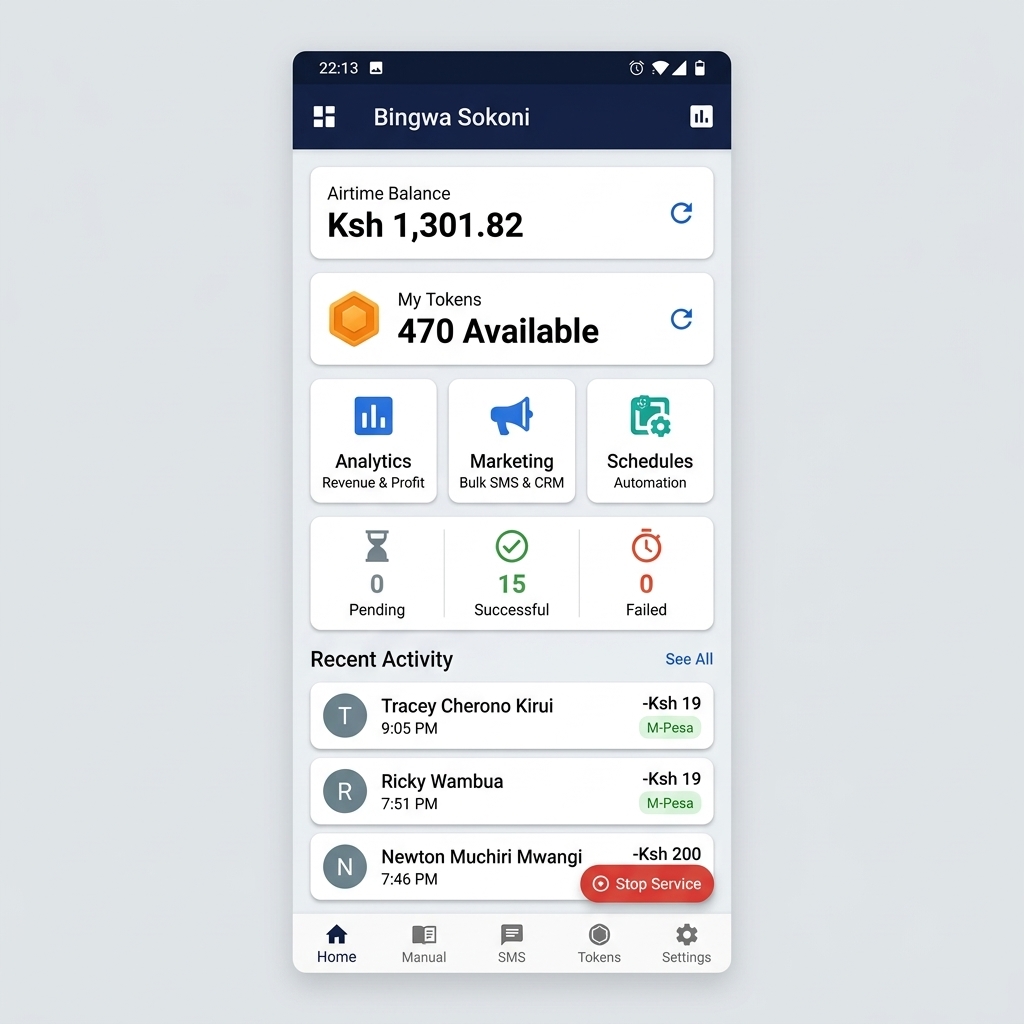
Bingwa Sokoni App Dashboard
Latest 1GB → 0712 *** 456 ✓
✓ Transaction Complete 0.4s
🪙 250 Tokens Active

Trusted by bundle sellers across Kenya

Nairobi
Mombasa
Kisumu
Nakuru
Eldoret
Thika

Everything You Need to Run a Thriving Bundle Business

From instant fulfillment to customer CRM, Bingwa Sokoni covers every angle of your shop.

Instant M-Pesa Automation

As soon as a customer pays via M-Pesa, the app reads the notification and automatically dials the USSD code to deliver their bundle — no manual action needed.

Zero-Touch Delivery

Online Storefront

Get your own public shop link where customers can browse and order your data plans directly from their phones.

Built-in Shop

Smart Analytics

Track successful, failed, and pending transactions with daily breakdowns. Know your revenue at a glance.

Real-Time Stats

Custom SMS Notifications

Automatically send personalized confirmations and failure alerts to customers using your own branded message templates.

Brand Voice

CRM & Loyalty Tracking

Identify loyal customers with 5+ purchases, send bulk SMS broadcasts, and maintain your own customer phone book.

Customer Growth

Scheduling & Queuing

Queue multiple transactions and schedule USSD commands for off-peak hours. Never miss a sale again.

Set & Forget

From Download to Full Automation in 9 Steps

Getting started is simple. No technical expertise required.

1

Download & Install

Tap the download button to get the latest Bingwa Sokoni APK. Install it and allow installation from unknown sources when prompted.

2

Verify Your Number

Enter your phone number and confirm with the 6-digit OTP sent to you via SMS. Your account is secured end-to-end.

3

Insert Notification SIM

Make sure the SIM card linked to your M-Pesa Till or Paybill is active and receiving notifications in your phone.

4

Select Your SIM

In the app, select the Notification SIM slot — the one that receives the M-Pesa payment SMS messages.

5

Enable Accessibility

Grant the Bingwa Sokoni Accessibility Service permission. This is required for background USSD automation to work.

6

Ensure Airtime

Keep active airtime and SMS units on your SIM so the app can dial USSD codes and send customer confirmations.

7

Configure Data Plans

Go to Settings → Data Plans and configure your specific Safaricom Bingwa Sokoni offer codes and prices.

8

Customize Messages

Head to Notifications and write your own branded confirmation, failure, and marketing message templates.

Save & Go! 🚀

Hit Save Changes and your automation is live. Bingwa Sokoni now handles every incoming payment automatically.

Pay Only for What You Use

Bingwa Sokoni uses a token system. Buy tokens when you need them — 1 token = 1 automated transaction.

Storefront
KES 50 /month
  • ✅ Public shop link
  • ✅ Customer-facing storefront
  • ✅ Manage listed offers
  • ✅ Order management
  • ✅ Via M-Pesa
Get Started
Referral Bonus
+ 50 tokens/referral
  • ✅ Earn 50 tokens per referral
  • ✅ Referred users get 20 free tokens
  • ✅ Unlimited referrals
  • ✅ Share via WhatsApp or SMS
  • ✅ Instant reward crediting
Refer Friends

Ready to Automate Your Bundle Business?

Download Bingwa Sokoni for free, get 20 bonus tokens, and start serving customers 24/7 from day one.

⚠️ Android only · Allow "Install from Unknown Sources" · Works on Android 8.0+

Have Questions? Contact Us

Need help with setup or have a feature request? Drop us a message below.

📍

Location

Nairobi, Kenya

💬

WhatsApp

0115 332 870

✉️

Email

support@nexoracreatives.co.ke